
Most people buy a PC case last. They pick the GPU, then the CPU, then the cooler, then open a tab for cases and start scrolling on looks. Two weeks later the RTX card does not fit, the tower cooler hits the side panel, and the whole build has to wait for a return shipment. Buying the case first is not a compromise — it is the only order that saves money. Here is the method: seven numbers, four tape-measure zones, and the XERON chassis that fits each kind of build.
Quick Answer: The Seven Numbers That Decide a Case
| Short version: before you look at a single product page, write down seven numbers: GPU length, CPU cooler height, radiator size and position, motherboard form factor, PSU length, expansion slot count, and drive bay count. Every case spec sheet on earth lists those seven. Match your parts against them and the right case picks itself. Four of the seven you measure with a tape measure; three you read off a spec sheet. |
| # | Number | Where It Comes From | What It Decides |
|---|---|---|---|
| 1 | GPU length | Measure the card, tip to tail | Whether your graphics card physically fits — or whether you need a vertical mount |
| 2 | CPU cooler height | Measure your tower cooler, base to top fin | Whether an air cooler fits, or whether you need liquid |
| 3 | Radiator size + mount position | Case spec sheet | Whether your AIO fits, and where it goes |
| 4 | Motherboard form factor | Your board: ITX / M-ATX / ATX | Which cases accept it at all |
| 5 | PSU length | Case spec sheet + your PSU model | Whether the power supply fits, especially in SFX builds |
| 6 | Expansion slots | Case spec sheet | How many add-in cards you can run |
| 7 | Drive bays | Case spec sheet | How many SSDs and HDDs you can install |
Why the Case Comes First
Here is the thing about a gaming PC: the case is the only component that every other component has to fit inside. Your GPU, your CPU cooler, your power supply, your motherboard and your drives all have to agree with it at once. Get it wrong and you are not choosing a different case — you are changing parts you have already bought, or living with a compromise for the life of the machine.
Three failures account for almost every bad case purchase.
| The GPU is too long. By the time you notice, the front panel is already in the way. Some cases accept a long card only in a vertical mount, which changes the entire layout of the build. |
| The CPU tower does not clear the side panel. A 165mm tower in a case rated for 155mm means liquid cooling, a different cooler, or a return. |
| The radiator does not fit the mount you wanted. Plenty of cases support a 360mm radiator — at the top only, and only if you move your fans from the front to the bottom. |
None of these are visible in a product photo. They are all one number away, printed in a spec table. That is why the case is first: not because it is the most important part, but because it is the part with the most constraints on everything else you will buy.
The Four Zones to Measure
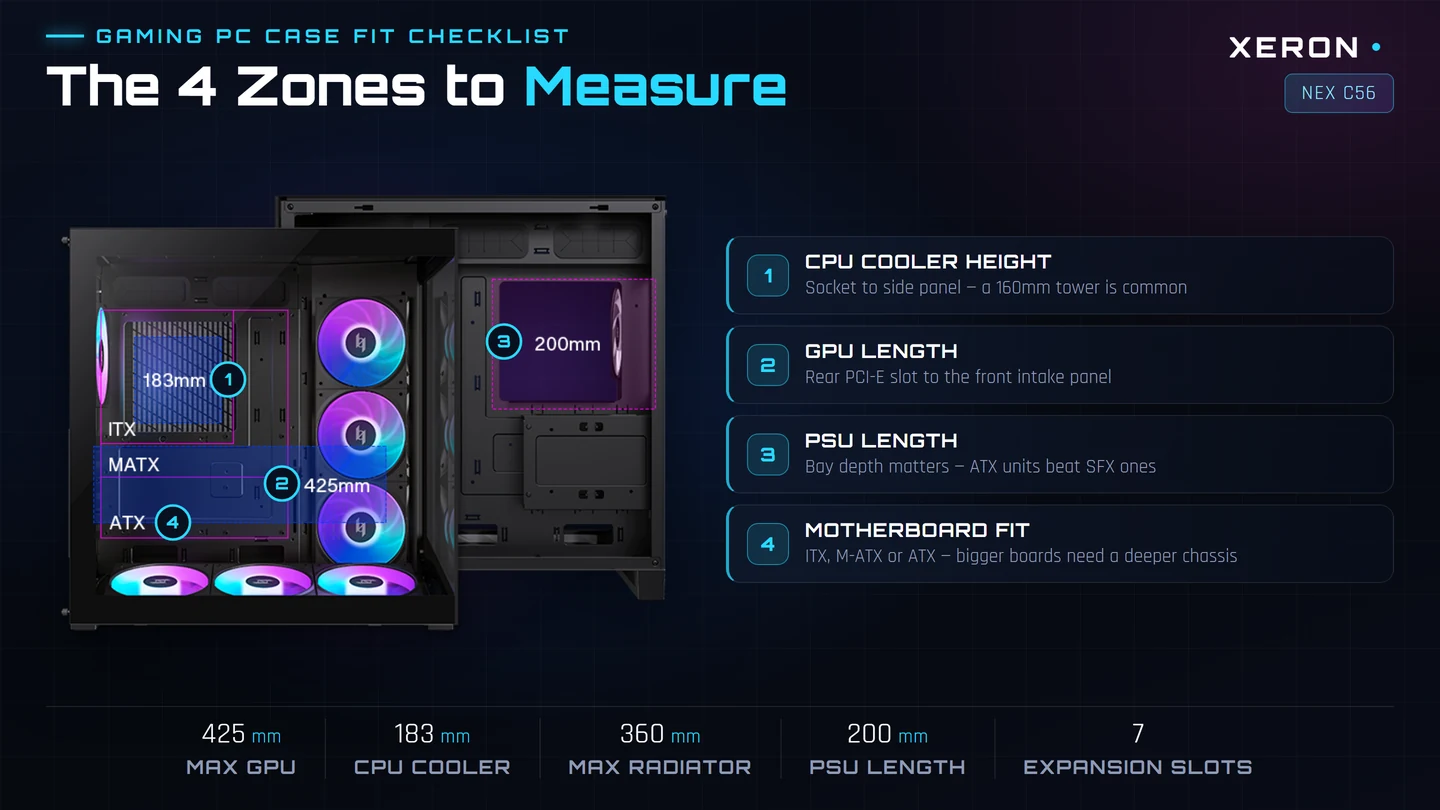
Before you open any product page, get a tape measure and a pen. You need four measurements from the parts you already own or already picked. These are the same four zones manufacturers mark on their own compatibility diagrams, and they account for the vast majority of fit problems.
| Zone | Measure This | How To Measure It |
|---|---|---|
| 1. GPU length | The longest edge of your graphics card | From the outer face of the PCIe bracket to the far end of the card — ignore the bracket, it sits against the case |
| 2. CPU cooler height | Socket-to-top-fin | Base plate of the cooler to the top of the highest fin, including the fan if it sits above |
| 3. PSU length | Depth of the power supply | The long dimension of the PSU body; ignore the modular cable housing |
| 4. Motherboard fit | Your board's form factor | ITX (170mm square), M-ATX (244mm) or ATX (305mm) — this one you do not measure, you look it up |
| Measure twice, once more: also measure the width of your GPU. Some cases quote a generous length limit but a card that is 3 or 4 slots thick still hits the front fans. And if you plan to mount a 360mm radiator on top, check the radiator plus fan thickness — a 27mm radiator with 25mm fans is a 52mm stack above the GPU, and it eats clearance the case never advertises. |
1. GPU Length: The Number That Kills Builds
Graphics cards grew much faster than cases did. A 320mm card was a monster a few years ago; 425mm is now normal for a high-end card, and the flagship models are longer still. The case spec sheet calls this maximum GPU length or maximum VGA card length, and it is the single most useful number on the page.
Two things catch people out here. First, the limit is not the space you think it is. It is measured from the backplate mount to the furthest point of the card, and it assumes the card sits in the standard horizontal position. Second, a case can hit its limit and still be unusable if the card is thick and the front intake fans are in the way. Some manufacturers quote the GPU limit separately for the standard mount and the vertical mount, because the two are very different numbers.
| Case | Max GPU Length | Max CPU Cooler | Form Factor |
|---|---|---|---|
| NEX C56 | 425mm | 183mm | ITX / M-ATX / ATX |
| NEX C53 | 425mm | 180mm | ITX / M-ATX / ATX / BTF |
| NEX C51 | 410mm | 180mm | ITX / M-ATX / ATX |
| NEX C31 | 410mm | 180mm | ITX / M-ATX |
Both the NEX C56 and the NEX C53 accept a 425mm card, which covers essentially every modern GPU including the RTX 5080 class — see our PC case for RTX 5080 guide for that specific check. The NEX C51 and NEX C31 stop at 410mm, which is still comfortable for most mid-range and upper-mid cards.
One more thing about long cards: drive cages eat length. In a case with a 3.5-inch drive cage at the front, the usable GPU length is often 20 to 30mm shorter than the headline number suggests. That is exactly the problem the dual-chamber layout in the NEX C56 solves — moving the drives behind the motherboard tray frees the full length in front of the GPU.
2. CPU Cooler Height: Air Tower or Liquid
Modern dual-tower air coolers run 155–165mm tall. That number is taller than most compact cases and, critically, taller than the case's published CPU cooler limit. The spec is called CPU cooler height limit and it is measured from the motherboard surface to the inside of the side panel — so it already accounts for the glass panel thickness.
All four XERON cases here are built for full-size dual towers: the NEX C56 takes 183mm and the others take 180mm. That is enough headroom for essentially any mainstream dual-tower air cooler on the market, which means you do not have to give up the cheaper, quieter, leak-proof cooling option. Our AIO vs air cooler comparison covers the cost and noise side of that decision in detail.
| Watch out for the fan overhang. On many dual towers the 120mm fan hangs slightly above the top fin. If your cooler is 160mm at the fin but 166mm at the fan, the case limit has to clear 166mm, not 160mm. Measure the fan-inclusive height if the manufacturer does not state it. |
3. Radiator Space: Size Is Only Half the Question
Every AIO buyer asks the same question — will a 360mm radiator fit? The answer is rarely just yes or no. It is which mount point takes it, and whether you still have fans left over for the rest of the case.
Look for three things in the radiator support line:
| Size, per position. "Top: 120/240/360mm, rear: 120mm" means a 360mm radiator is a top-only affair. That is a real constraint, because the top is where you often want it least obstructed. |
| How many positions take a big radiator. A case that supports 360mm at both the top and the motherboard mount gives you two genuine options for a dual-radiator build. The NEX C56 supports 120/240/280/360mm on top, 120/240/360mm at the motherboard mount, and 120mm at the rear. |
| Fan position. Radiators can take fans on the case side (intake) or the loop side (exhaust). A 360mm radiator in the top of a case with 25mm fans may push the CPU cooler clearance down by 25mm more than the radiator rating alone suggests. |
Note the 280mm option on the NEX C56. It is a genuinely useful middle step: a 280mm radiator is far easier to fit in a tight top panel than a 360mm, and most cases that skip straight from 240mm to 360mm leave you with a gap that fits nothing.
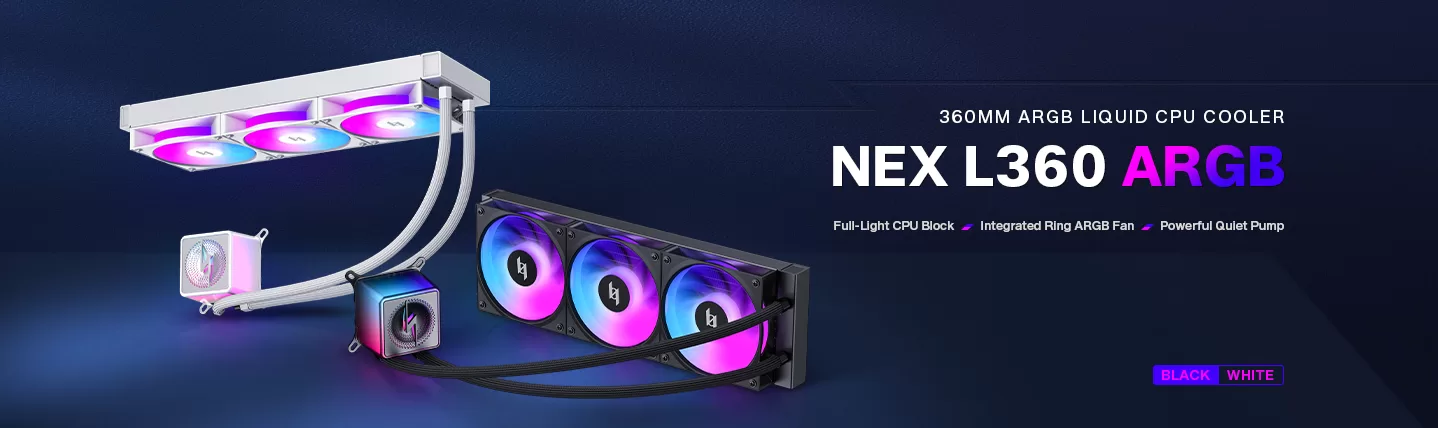
All four XERON cases support a 360mm top radiator plus a 120mm rear radiator. If you need the numbers before you commit, the PC case for 360mm radiator guide walks through every mount position, and the PSU calculator helps you size the rest of the build.
4. PSU Length and Drive Bays
The power supply is the component people forget to check, because the case spec sheet lists a maximum length that assumes an ATX PSU and nobody asks about SFX. The difference is enormous: a standard ATX PSU is around 150–160mm deep, while an SFX unit is roughly 100–125mm. A case designed around ATX can still accept a short SFX power supply — but you need a bracket, and some cases have none.
The other thing to check here is where the PSU sits. A top-mounted power supply wastes the space above the motherboard tray and pushes the drive cage forward, shortening GPU clearance. A bottom-mounted PSU tucked behind a front shroud — the layout the NEX C53 uses — keeps the drive bay out of the airflow path and out of the GPU lane.
And then there are the drive bays. Count them against what you will actually install: two 2.5-inch mounts for SSDs, plus one or two 3.5-inch bays for hard drives. The XERON numbers are straightforward — the NEX C56 takes 2×3.5-inch + 2×2.5-inch, the NEX C51 and NEX C31 take 2×3.5-inch + 1×2.5-inch, and the NEX C53 takes 1×3.5-inch + 2×2.5-inch.
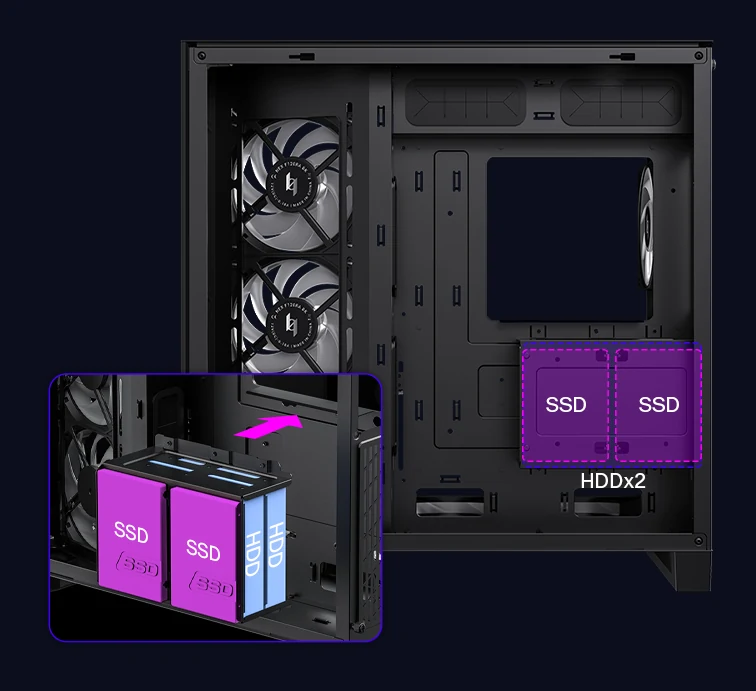
Here is where the dual-chamber design pays off. On the NEX C56 the 2.5-inch SSD mounts and the 3.5-inch bays sit in a separate front chamber behind a dedicated bracket, so the storage stays out of the main airflow path and the GPU keeps the full 425mm of length in front of it. It is a small design decision that removes a whole category of problem.
Motherboard Form Factor: ITX, M-ATX or ATX
Form factor is the filter that eliminates cases before any other measurement. You cannot fit an ATX board into an ITX case — there is no adapter for a full-size motherboard.
| Form Factor | Size | Typically Holds | Choose It If |
|---|---|---|---|
| Mini-ITX | 170 × 170mm | 1 expansion slot, up to 2 GPU, 1–2 M.2 | You want the smallest possible desk footprint and do not need add-in cards |
| Micro-ATX | 244 × 244mm | 4 expansion slots, up to 3 GPU | You want a compact build that still takes two or three cards |
| ATX | 305 × 244mm | 7 expansion slots, up to 4 GPU | You want the maximum upgrade headroom and full-size components |
Good cases accept a range, and that range is a real buying criterion: a case that takes ITX, M-ATX and ATX means the motherboard you pick in six months will still fit. The NEX C56, C53 and C51 all cover ITX through ATX; the NEX C31 stops at M-ATX because its four-slot rear layout cannot physically take a full-size board.
The NEX C53 goes one step further and supports BTF motherboards, a compact backplane form factor that opens the GPU area in tight builds.
Expansion Slots: Why 4 vs 7 Matters
Expansion slots are the vertical brackets at the rear of the case, and they tell you how many add-in cards you can run at once. This is where compact cases surprise you.
A full-size ATX case has seven slots. A Micro-ATX case has four. A Mini-ITX case has one. But slot count is not slot width — a modern GPU is three or four slots thick, so in a four-slot case a single triple-slot card blocks three of them.
| NEX C56 | NEX C53 | NEX C51 | NEX C31 | |
|---|---|---|---|---|
| Expansion slots | 7 | 7 | 7 | 4 |
| Motherboards | ITX / M-ATX / ATX | ITX / M-ATX / ATX / BTF | ITX / M-ATX / ATX | ITX / M-ATX |
| Max GPU length | 425mm | 425mm | 410mm | 410mm |
| Max CPU cooler | 183mm | 180mm | 180mm | 180mm |
| Top radiator | 120/240/280/360mm | 120/240/360mm | 120/240/360mm | 120/240/360mm |
| PSU | ATX, 200mm max | ATX, 160mm max | ATX, 200mm max | ATX, 200mm max |
| 3.5-inch bays | 2 | 1 | 2 | 2 |
| 2.5-inch bays | 2 | 2 | 1 | 1 |
| Dimensions (L×W×H) | 430×300×445mm | 435×235×435mm | 449×222×465mm | 449×222×415mm |
| Best for | Flagship ATX, dual radiator | Compact showcase build | Narrow body, full ATX | Smallest M-ATX build |
So: if you need a sound card, a capture card and a second GPU, you want seven slots. If you are running one GPU and nothing else, four slots is plenty — and the space saved is worth more than the slots.
Airflow vs Looks: Which One Are You Actually Buying?
Once the numbers work, the real argument starts: do you want the case that pushes the most air, or the one you want to look at every day? Good news — the two are not as opposed as they look.
A case with a sealed, filtered intake that feeds the GPU directly will outperform a decorative box with open grilles, because dust-laden air still gets through and because restricted intake starves the card. The signals that matter are specific: fan position, filter placement, and whether the intake path actually reaches the components that make heat.
We broke this down properly in Best Airflow PC Case 2026: 5 Features That Actually Cool Your GPU. The short version:
| Bottom intake aimed at the GPU. Modern GPUs draw from the bottom and side of the card, so a bottom intake feeds them directly. The NEX C56 mounts its bottom and right-side intakes at a 12-degree incline specifically to line that airflow up with the card rather than the floor. |
| Exhaust at the rear. Hot air has to leave. A case with a rear exhaust and a top exhaust gives you a proper chimney effect. |
| Dust filters that you can actually pull. Magnetic filters on the NEX C56 lift off in seconds; a filter you cannot remove is a filter you never clean. |
| Somewhere for the cables to go. A dual-chamber layout behind the motherboard tray is the difference between a clean build and a bundle of cables across the glass. See Dual Chamber PC Case. |
| Vertical GPU as airflow, not decoration. Mounting the card vertically frees the bottom slot for intake and stops the card from sagging — the NEX C56 ships with a height-adjustable support bracket. More in the vertical GPU guide. |
If silence is the priority rather than raw thermals, that is a different set of criteria entirely — fan quality, vibration-dampening materials and how the case resonates. The Silent PC Case: The Complete Buyers Guide covers it.
The Pre-Purchase Checklist
Ten checks, five minutes with a tape measure, and you will never regret a case purchase. Print this list and work down it.
| 1. Measure your GPU. Write the length down. Compare against the case's maximum GPU length with at least 10mm to spare. |
| 2. Measure your CPU cooler. Include the fan in the height if it overhangs the fins. |
| 3. Decide your radiator position first. Top, rear or side. Then confirm the case supports a radiator of that size there. |
| 4. Check the stack thickness. Radiator thickness plus fan thickness. This is what eats your CPU cooler clearance and GPU clearance. |
| 5. Confirm the motherboard form factor. ITX, M-ATX or ATX, and whether the case takes a range or just one. |
| 6. Check the PSU length and type. Standard ATX or SFX, and does the case ship the bracket if you need SFX? |
| 7. Count the slots against your add-in cards. A three-slot GPU in a four-slot case leaves you one free slot. |
| 8. Count the drive bays against your drives. M.2 slots on the motherboard do not count — those are on the board, not in the case. |
| 9. Look at where the intake fans are. If the front of the case is solid with a narrow side vent, that is a low-airflow design and you should plan to add fans. |
| 10. Check the front I/O. A USB-C port on the front panel is worth having in 2026 — look for Type-C Gen2×2, not an older Type-A or plain Type-C. |
Which XERON Case for Which Build
Four cases, four different build shapes. The decision tree is short: how big is your motherboard, how long is your card, and how much room does your desk have.
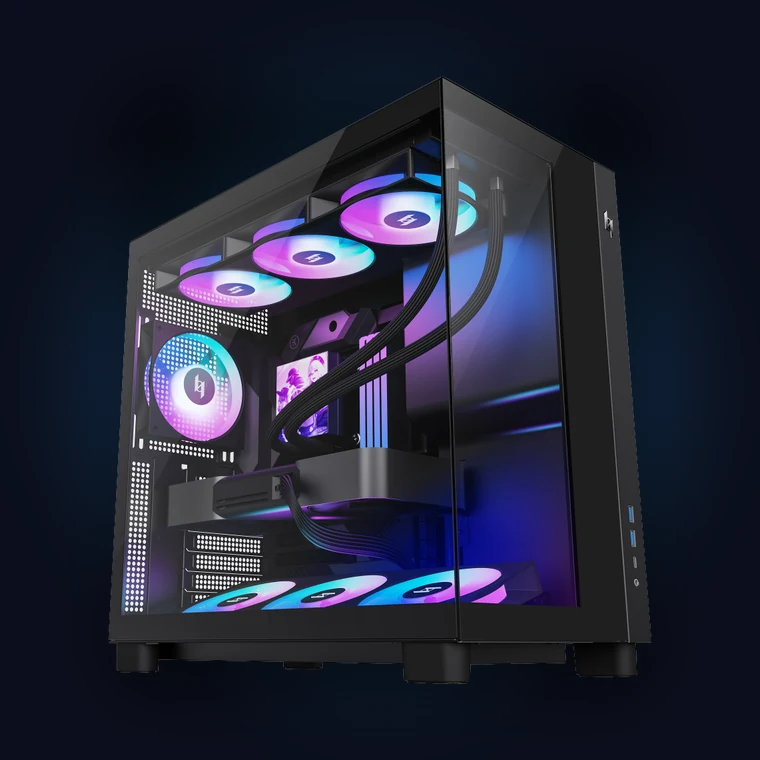
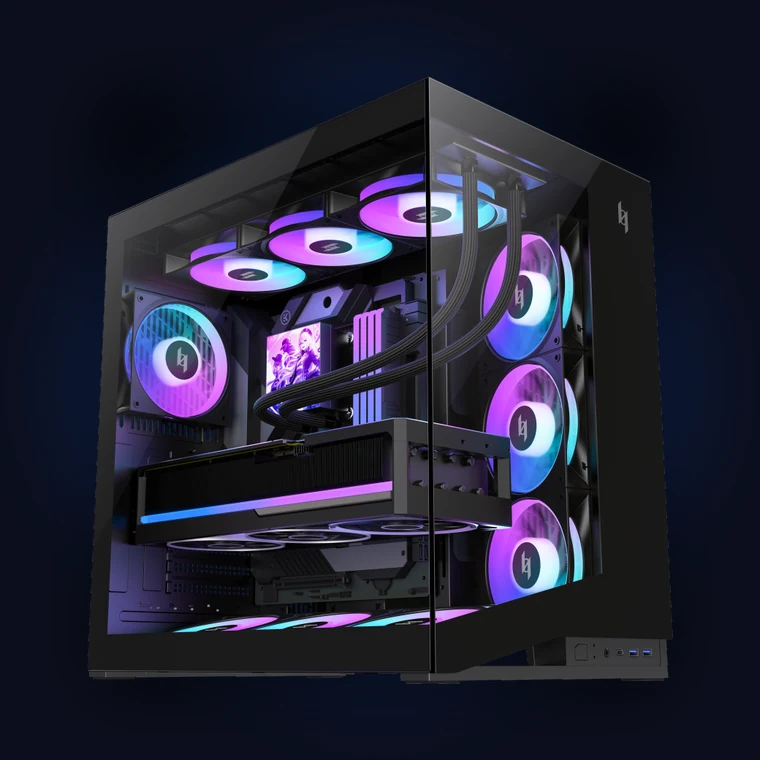 | Flagship ATX · dual chamberNEX C56430×300×445mm · 425mm GPU · 183mm CPU cooler · top 120/240/280/360mm · 7 slots · 2×3.5′ + 2×2.5′ · ATX PSU 200mm
|
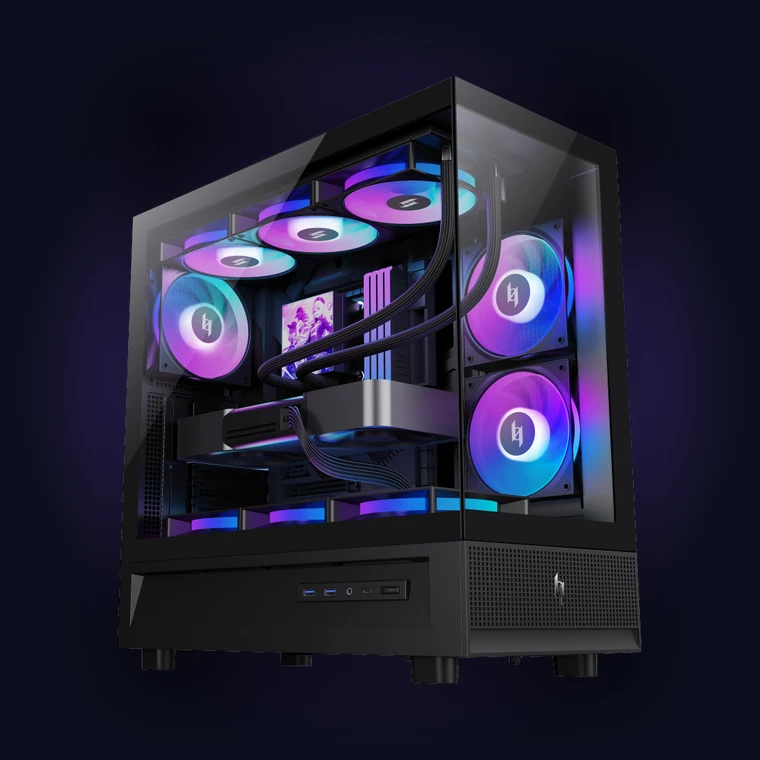
 | Compact showcase · BTF readyNEX C53435×235×435mm · 425mm GPU · 180mm CPU cooler · top 120/240/360mm · 7 slots · 1×3.5′ + 2×2.5′ · ATX PSU 160mm
|
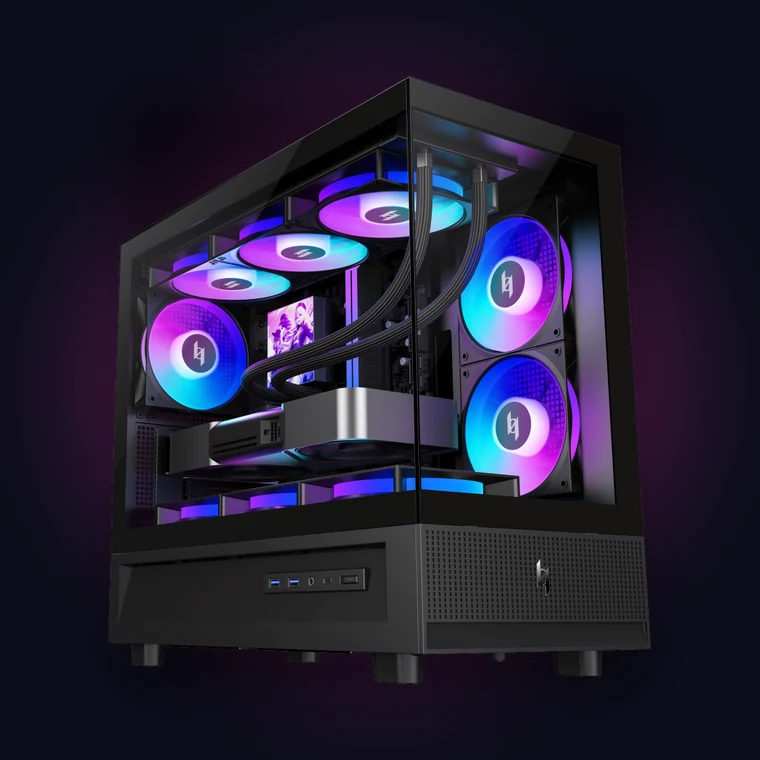
 | Narrow body · full ATXNEX C51449×222×465mm · 410mm GPU · 180mm CPU cooler · top 120/240/360mm · 7 slots · 2×3.5′ + 1×2.5′ · ATX PSU 200mm
|
 | Compact M-ATX · 4 slotsNEX C31449×222×415mm · 410mm GPU · 180mm CPU cooler · top 120/240/360mm · 4 slots · 2×3.5′ + 1×2.5′ · ATX PSU 200mm
|
| Your Build | Pick | Because |
|---|---|---|
| Flagship GPU + flagship CPU, full ATX board | NEX C56 | 425mm GPU, 183mm CPU cooler, two 360mm radiator positions and a drive chamber that keeps the GPU lane clear |
| Compact showcase build on a smaller desk | NEX C53 | Keeps 425mm of GPU clearance in a 235mm-wide body, and the front PSU chamber frees internal space |
| Full ATX board, narrow chassis, desk space matters | NEX C51 | A standard ATX motherboard in a 222mm-wide body with a pillar-free glass view |
| Smallest reasonable build, one GPU | NEX C31 | Micro-ATX, 415mm tall, 410mm of GPU length and a 360mm top radiator |
| Silent build | Any of them, then tune | Start with the silent build guide for fan choices and curve settings |
| RTX 5080 class graphics card | NEX C56 or NEX C53 | Only these two take a full 425mm — see the RTX 5080 fit guide |
Gaming PC Case: FAQ
| Question | Answer |
|---|---|
| What size case should I buy? | Buy the case your motherboard and graphics card require, not the size you wish you had. A full ATX board plus a 425mm card needs a mid-tower with real clearance — the NEX C56 is 300mm wide and takes both. If you are starting from a blank sheet, a mid-tower that accepts ITX through ATX keeps every option open. |
| How do I know if my GPU will fit? | Measure the card tip to tail and compare with the case's maximum GPU length, leaving at least 10mm spare. Also check the thickness: a 4-slot card in a 4-slot case leaves nothing for anything else. |
| Is a bigger case always better? | Bigger means more room, more fans and better airflow — and it also means more desk space and a harder time moving it. The right case is the smallest one that clears every number on your list. |
| Does the case limit how long my cables can be? | It does, and it is a real issue with modular PSUs in tight cases. Check the case's cable-management space, and check whether your preferred modular cables are the standard length. Non-modular PSUs with a fixed cable bundle avoid the question entirely. |
| Should I buy the case first or the GPU first? | The case first. The GPU is the longest component in the build and the hardest to change later. Decide the motherboard form factor and the GPU model, then choose a case that covers both with margin. |
| Do I need a case with a glass panel? | You need a case you will not want to open again. Glass shows the build, which matters to a lot of people and to nobody else. If your priority is airflow and silence, a mesh front panel will serve you better than a sealed glass one. |
| What is the difference between a mid-tower and a full tower? | Height, and therefore GPU and CPU cooler clearance. A full tower gives you more room for a long card and a tall cooler; a mid-tower gives you the same hardware compatibility in a smaller box if the manufacturer designed it well. The NEX C51 fits a full ATX board in a 222mm-wide body — that is mid-tower done properly. |
| Do I need a 360mm radiator? | Only if you are running a CPU that pulls 250W or more, or you want the top of the case free for a clean view. On a mainstream chip, a good air tower performs the same job for less money. The AIO vs air cooler breakdown has the numbers, and the CPU benchmark database shows what your chip actually draws. |
| How many fans should a case come with? | At least three: bottom intake, rear exhaust and one more. The XERON cases ship with three to seven ARGB fans pre-installed, which means a complete airflow setup without buying a single extra fan. Check the pre-installed fan list before you plan a fan purchase. |
Related Build Guides
| Size the GPU | PC Case for RTX 5080: Fit the Flagship |
| Mount the card | PC Case with Vertical GPU Mount |
| Cool it down | Best Airflow PC Case 2026 |
| Fit the AIO | PC Case for 360mm Radiator |
| Pick the cooling | AIO vs Air Cooler |
| Build it quiet | Silent PC Case: The Complete Buyers Guide |
| Size the PSU | PSU Wattage Calculator |
| Check your CPU | CPU Benchmarks & Power Draw |
| Shop cases | All XERON PC Cases |
| Measure first, buy once. Grab a tape measure, write down your GPU length, CPU cooler height, motherboard form factor and PSU length, then pick the case that clears all of them with room to spare. Browse the XERON case lineup → |