
A dual chamber PC case splits the interior into two zones: an airflow chamber for the motherboard and GPU, and an isolated chamber for the PSU, drives, and cable clutter. The result is better thermals, a cleaner glass-side build, and good cable management without zip ties everywhere.
Quick Answer: What Is a Dual Chamber Case?
| Feature | Dual Chamber | Traditional Single Chamber |
|---|---|---|
| PSU heat | Exhausted separately, never mixes with CPU/GPU intake | PSU heat rises into the main compartment |
| Cables | Hidden behind the motherboard tray in a dedicated channel | Cables snake across the motherboard tray |
| Glass side view | Clean, shows only hardware and fans | Cables visible behind the glass |
| Airflow path | Short, direct, no obstructions | Cables and PSU block airflow |
| Build difficulty | Easy — cable channels line up with components | Tricky — tight spaces, cable ties required |
If you want a clean build that runs cool, a dual chamber case is the single biggest upgrade you can make.
How Dual Chamber Works
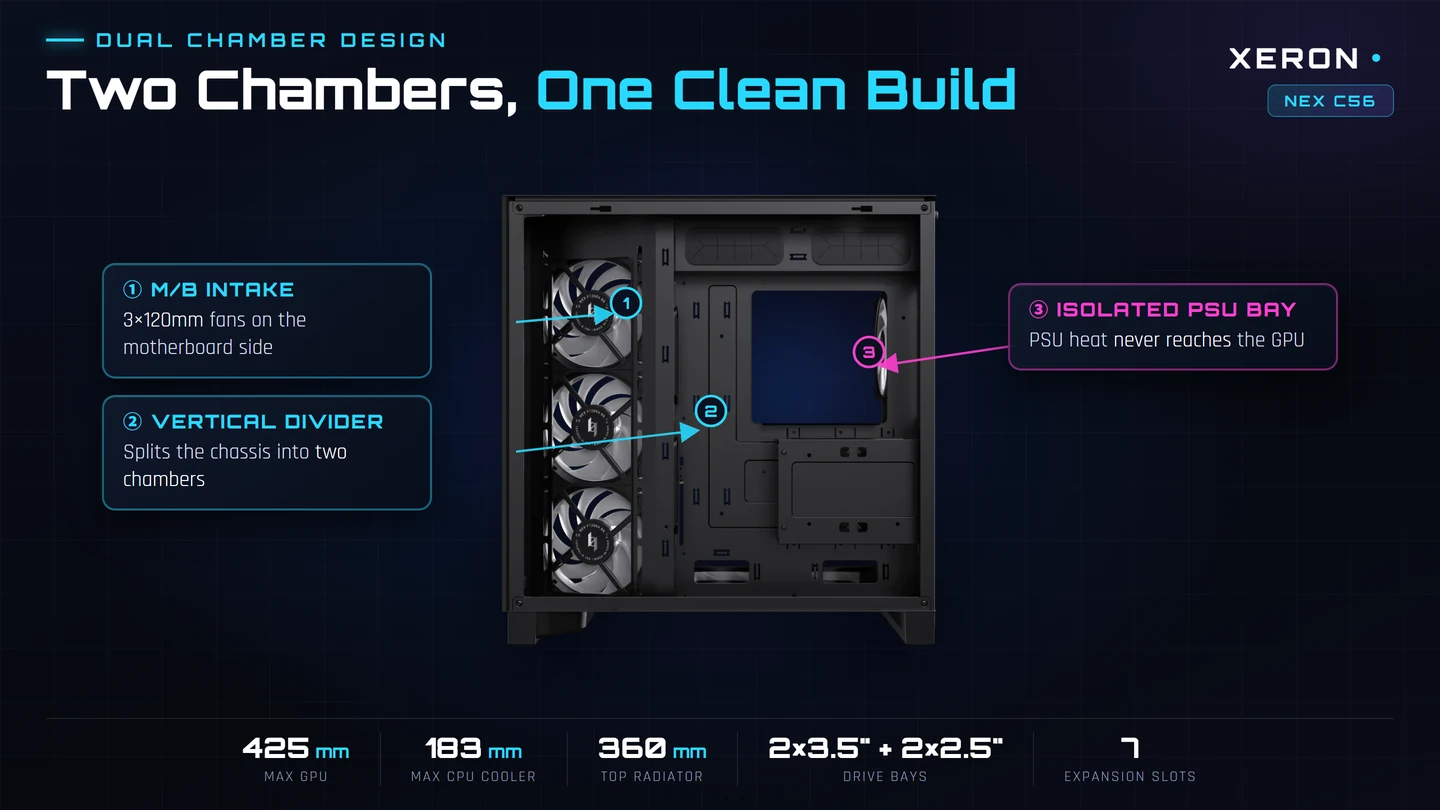
A horizontal or vertical divider separates the case into two compartments. The upper chamber holds the motherboard, CPU cooler, GPU, and radiator. The lower (or rear) chamber holds the PSU, SSDs, and all the cables.
| Chamber | What Lives There | Why It Is Isolated |
|---|---|---|
| Upper / Airflow Zone | Motherboard, CPU, GPU, radiator, intake fans | Cool air goes straight to the components that need it most |
| Lower / Power Zone | PSU, storage, cable routing channel | PSU exhausts hot air out the bottom or rear; cables stay out of sight |
The divider also acts as a cable routing wall — wide grommets pass cables from the power zone to the motherboard without them crossing the visible side.
What Makes Good Cable Management
Not every case with a PSU shroud is a true dual chamber case. Here is what to look for:
| Feature | Why It Matters |
|---|---|
| Wide cable grommets | 24-pin, 8-pin CPU, and GPU cables pass through without squeezing |
| Velcro tie points | Reusable straps beat zip ties — you can rework cables later |
| PSU shroud with vent | Hides the PSU and cables, but lets the PSU draw cool air |
| 15-25mm cable gap | Enough space behind the motherboard tray to tuck thick EPS and PCIe cables |
| Rear fan cutout above GPU | Helps hot GPU air escape directly instead of recirculating |
Dual Chamber vs Open Air vs Traditional
| Layout | Thermals | Appearance | Best For |
|---|---|---|---|
| Dual chamber | Excellent — PSU heat isolated | Clean glass side | Showcase builds, high-power GPUs |
| Traditional mid tower | Good if cable-managed well | Cables visible | Budget builds, first-time builders |
| Open frame | Best thermals, zero obstruction | Industrial, no glass | Bench testing, extreme cooling |
Recommended for This Build
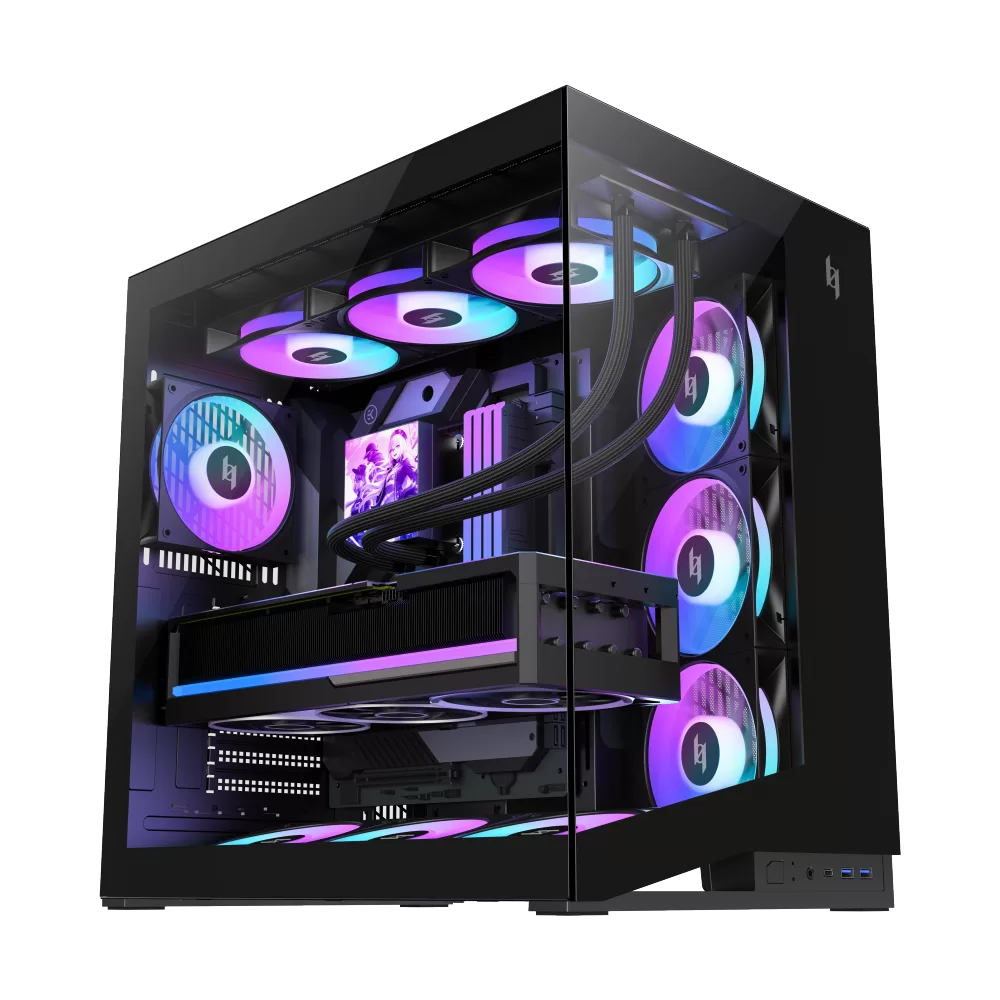 | NEX C56 True dual-chamber layout — isolated PSU chamber, cables hidden behind the shroud 4mm panoramic tempered glass — front and side glass, clean showcase view 12° inclined bottom intake — angled bottom and right-side fans push cool air straight to the GPU 425mm GPU + dual 360mm radiators — flagship size support, front USB-C 3.2 Gen2x2, vertical GPU ready View NEX C56 |
Dual Chamber PC Case — FAQ
| Question | Answer |
|---|---|
| Are dual chamber cases better for airflow? | Yes. The PSU draws hot air from its own zone instead of pulling it past the GPU. CPU and GPU intake temperatures are typically 3-6 C lower than in a single-chamber case with the same fans. |
| Do I need a dual chamber case for cable management? | No. A traditional case with a PSU shroud and 20mm rear cable gap also looks clean. Dual chamber is the premium version of that idea — it isolates heat as well. |
| Can I fit a 360mm radiator in a dual chamber case? | Most dual chamber cases are mid-tower or larger. Check the top and front clearance — XERON C Lab supports 360mm top mounts, C56 supports 360mm front mounts. |
| Does a dual chamber case restrict GPU size? | No. The upper chamber is sized for full-length GPUs. The divider sits below the GPU, not behind it. |
| Are dual chamber cases harder to build in? | Easier. Cables have dedicated channels, grommets align with motherboard headers, and you do not fight zip ties in cramped corners. |
| What is the best cable management case? | Look for wide grommets, velcro tie points, a 20mm rear cable gap, and a vented PSU shroud. XERON C Lab and C56 both check these boxes. |
| Do PSUs exhaust better in a dual chamber? | Yes. A bottom-mounted PSU in its own chamber draws cool external air and exhausts it out the rear or bottom, instead of recycling hot case air. |
| Is a dual chamber case worth the cost? | If you care about thermals or glass-side aesthetics, yes. The difference in GPU temperatures and build cleanliness is visible immediately. |
Related Build Guides
| Topic | Read Next |
|---|---|
| Best airflow cases | Best Airflow PC Case 2026 |
| Vertical GPU mount | PC Case with Vertical GPU Mount |
| 360mm radiator fit | PC Case for 360mm Radiator |
| Shop dual chamber cases | Explore XERON Cases |
Want a clean build that runs cool? XERON dual chamber cases isolate PSU heat, hide cables, and give your GPU a direct airflow path. Browse the XERON lineup